

API Reference
Use this reference to browse the request fields, responses and HTTP examples for the API version selected in the header.
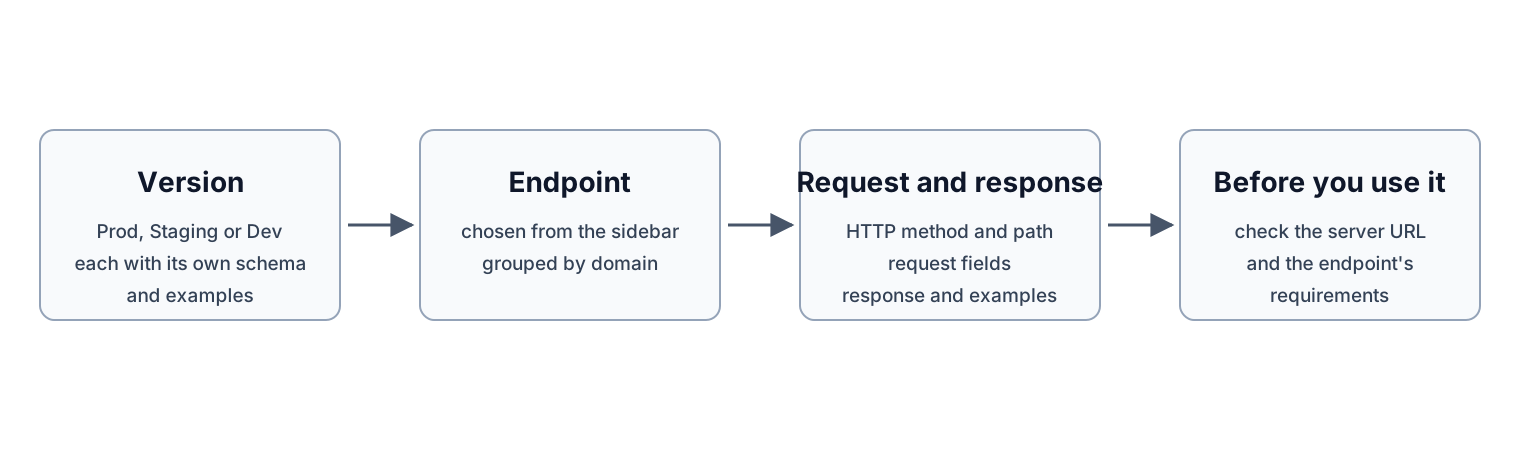
How to read the API Reference.
Choose a version and endpoint
Select Prod, Staging or Dev before choosing an endpoint from the sidebar. Each version has its own API schema and examples. Check the displayed server URL and the endpoint’s requirements before using an example.
Open an endpoint to inspect its HTTP method, path, request and response. The sidebar groups endpoints by domain; this overview is the starting point for the API Reference tab.
Find an endpoint by task
Use these starting points in the selected API version. Check each endpoint’s authentication and authorization requirements before making a request.
- Get organization information to inspect the organization information returned by the authentication service.
- Search flight connections for cargo connections between two airports.
- Add a task-group message to add an entry to a task group’s message log.
- Read cargo tracking data points for sampled cargo data within a task group.
Integration guidance
Review the SDK guide when choosing a package and environment. SDK versions and API versions need to be checked separately.
For the workflow behind an endpoint, start with the documentation and setup guides. Contact support with the selected environment, endpoint and a sanitized error when you need help. Do not include credentials or private payloads.