

Standalone Trackers
A standalone tracking session lets you review device tracking without a Chrt order. The Devices page holds device records, and Sessions holds the sessions associated with devices.
This guide explains the available controls. Confirm device compatibility and the physical setup for your shipment with trackers@chrt.com before starting. Registration and shipment setup instructions depend on that validation.
Device records
Open Devices to review the devices available to your organization. Register Device opens a form with Device MAC Address 1, an optional Device Type 2, Comments 3, and External Reference ID 4. The form’s own Register Device button 5 is disabled while the form is blank. Use the identifier for the actual device; the type label alone does not establish the hardware’s capabilities.
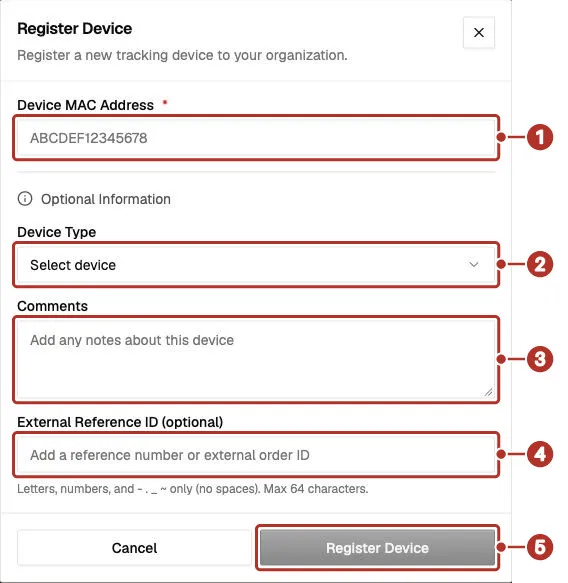
The Register Device dialog on the Devices page, blank. 1 Device MAC Address (required); under Optional Information, 2 Device Type, 3 Comments, 4 External Reference ID, 5 Register Device, disabled while the form is blank.
After registration, check the saved device record and its identifier. Registration and a location reading are separate checks: a saved record does not establish that the hardware is reporting.
Session settings
On Sessions, Create Session opens Create Tracking Session. The form offers selection of a registered device or entry of a device identifier, with optional reference, comments, flight information, contacts, and termination settings.
Sessions are set to terminate after 7 days by default. The form allows a different termination date and time or No auto termination. Review the termination setting for the shipment rather than assuming that the default matches its duration. Longer or open-ended sessions may incur additional tracking charges depending on your subscription.
A tracking session records location and metadata from a registered device for as long as the session is active (subject to your termination settings and subscription).
Review a session
Open the session you intend to follow. Session details includes timestamps such as Created 1, Last seen 2, and Terminated when present, plus reference, comments, flights, and Scheduled termination for an unterminated session. Compare the device identifier and last-seen time with the shipment you are following.
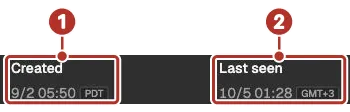
Part of Session details, with each timestamp followed by a time-zone label (PDT and GMT+3 here). 1 Created time, 2 Last seen time.
Lower in Session details, Comments 1 holds notes for the session, Add Flight 2 adds a flight (it is disabled once a session is terminated), and Loaded status 3 shows the loaded state.
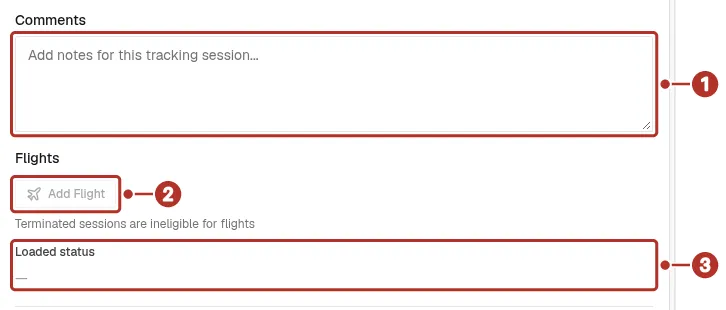
Part of Session details for a terminated session. Add Flight is disabled with the note that terminated sessions are ineligible for flights. 1 Comments, 2 Add Flight, 3 Loaded status.
The recording control can show REC, Paused, or Terminated 1. Where your access permits, it offers Pause or Resume, and a separate Terminate action. Read the confirmation before ending a session. Check the saved status afterward; these controls do not establish how much historical data is retained.
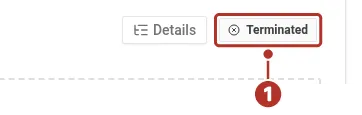
The session’s recording control, showing Terminated once the session has ended. 1 Terminated state.
If a session has no recent data, record the device identifier, session identifier, and last-seen time when asking trackers@chrt.com for help. This guide does not set a first-report or update-time guarantee.
Making a session public
In Session details, the Public tracking section has Share. The Session public tracking sharing 1 dropdown can be set on or off when your access permits. The panel offers copy and open-link controls while public sharing is enabled; with sharing set to Off, the Copy link 2 button is disabled.
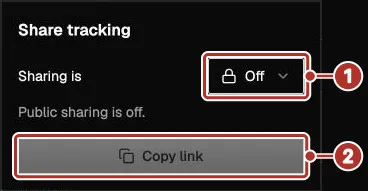
The public sharing panel opened from Share under Public tracking. 1 Session public tracking sharing dropdown (shown as Sharing is, set to Off), 2 Copy link button (disabled).
After a sharing change, reload the settings and check the displayed state. Test the intended recipient’s view before distributing a link. Changing this setting is not a guarantee about previously viewed or copied data. See Sharing for organization sharing and the boundaries of public links.
Related guides
- Supported devices — device labels and hardware checks.
- Trackers on orders — tracking sources on an order.
- Sharing — organization and public-session controls.
- Battery and data — reported readings and timestamps.
- Tracker API — plan programmatic access using the API reference.