API Keys
Programmatic access to the CHRT API using org-scoped API keys.
API keys let you call the CHRT API from your own servers, scripts, or integrations without requiring a browser session. Each key is scoped to a single organization and currently provides read access to tracking endpoints.
Who can create API keys
Only organization members with the Owner or Administrator role can create and manage API keys. Members with the Operator or Driver role will not see the API keys management UI.
Generating an API key
- Click the org selector in the top navigation bar and press Manage.

- In the Organization settings, select the API keys tab.
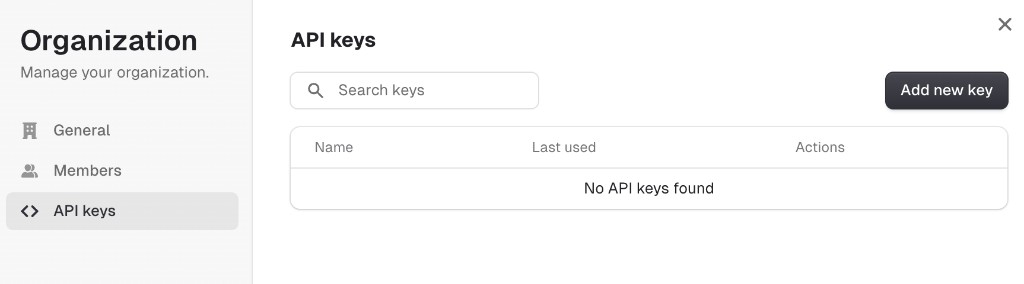
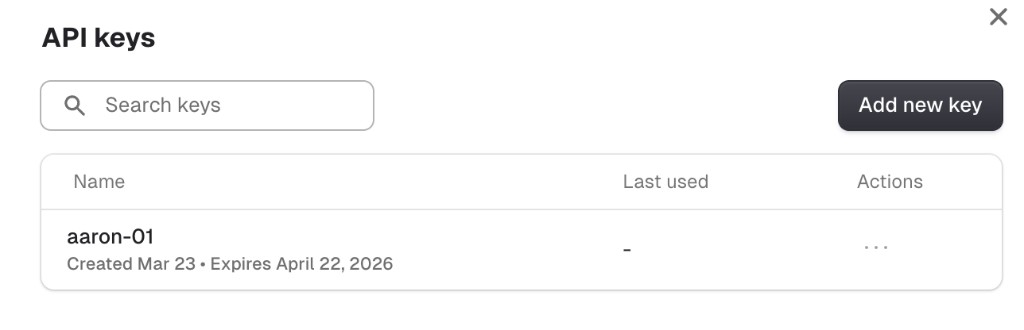
- Click Add new key. Give the key a name and choose an expiration date, then copy the key value. You will not be able to see the full key again after closing the dialog.
Authentication
Pass the API key as a Bearer token in the Authorization header:
With the TypeScript SDK:
Supported routes
API keys are currently accepted on the following tracking endpoints. All other routes will return a 403 error.
Additional routes will be added over time.
Error responses
Key behavior
- Org-scoped — an API key can only access data belonging to the organization it was created in.
- Operator-level permissions — API key requests are authorized at the Operator role level, regardless of the role of the user who created the key.
- No user context — although the creating user is recorded on the key, API key requests do not carry a user identity for write operations.
- Revocable — keys can be revoked at any time from the API keys management page. Revoked keys are rejected immediately.
- Expiration — keys have a configurable expiration date set at creation time.