

Tracker API
Use the API reference for the current tracking operations, request fields, authentication, and response schemas. This guide explains the records to look for and the checks to make when building an integration.
Choose the record you need
See Standalone trackers for device and session controls, and Integrations for the separate service records. Do not assume that every UI action has the same API operation or permission requirements.
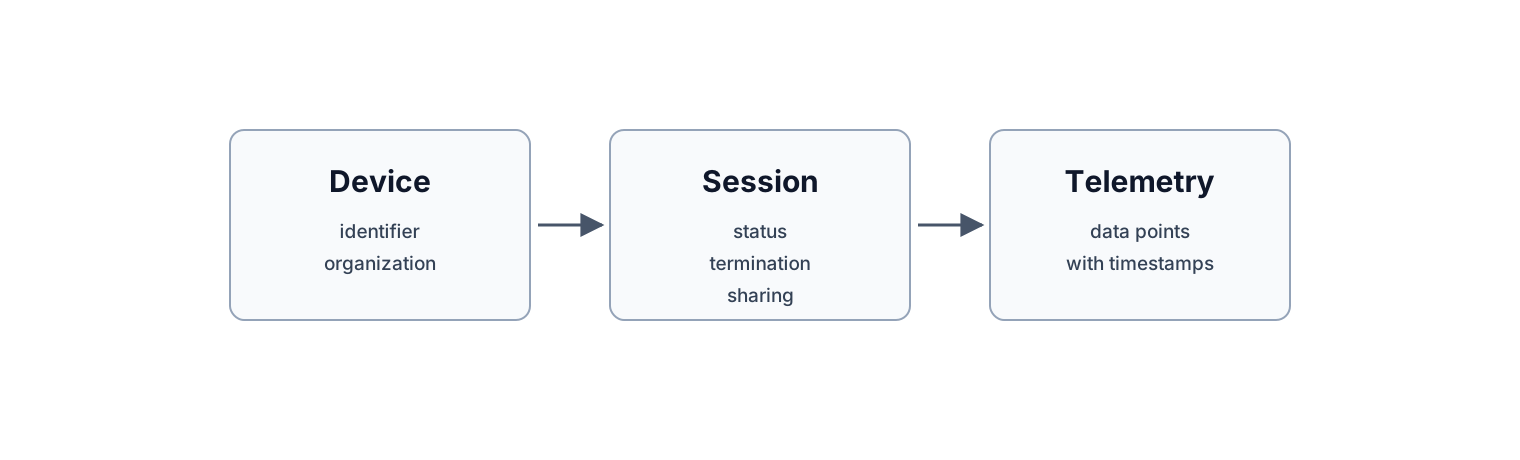
How tracker records relate.
Establish access
Chrt has an API Keys settings page with key management and a test panel. Follow the authentication and environment instructions for the specific operation in the API reference. Keep key material out of screenshots, logs you share, and support messages.
Start by retrieving an existing authorized demonstration record. Check that its identifier and organization context match the record you intended to read. Inspect the response fields and data-point timestamps before using them in your application. For a change operation, review the supported request and read the record back afterward to confirm the saved state.
Treat sharing as a separate check
A session’s public-sharing control can be turned on or off in the UI when editing is available. For programmatic changes, follow the operation documented in the API reference and confirm the resulting session state. Do not infer authorization requirements for an endpoint from the existence of a public page.
Test the intended recipient view separately from authenticated access. Neither a successful request nor a public-sharing flag establishes a lifetime, cache-removal, or historical-data deletion guarantee. See Sharing and the Privacy Policy and Product Terms.
Handle incomplete tracking data
A saved device or session does not establish that telemetry has arrived. Handle absent values and review timestamps before interpreting location or condition data. This guide does not set a first-report deadline or promise identical data across hardware and service sources.
If the API reference does not document an operation you need, contact trackers@chrt.com with the record type and intended operation. Confirm the supported contract before implementing a write or destructive action.
Related guides
- Standalone trackers — device and session settings.
- Integrations — connected-service records.
- Sharing — organization and public-session controls.
- Battery and data — conditional telemetry.