

Support
Contact chrt
Email hi@chrt.com for account, onboarding, billing, or product support. Include your organization name, the page or order you are working on, and any relevant screenshots or error messages.
For tracker hardware or tracking-session questions, email trackers@chrt.com.
Include useful evidence
Provide the active organization, the order or device reference, the page you were using, the exact error and when it happened. For the mobile app, include the phone/OS and version/build from the footer at the bottom of Settings. Remove customer data and credentials from screenshots before sharing.
For pending mobile changes, check Sync status in Settings and preserve the work while asking for help. Avoid signing out, switching organization, discarding changes or reinstalling solely to clear an error.
In the iOS app, Sync status 3 is a row in Settings, and the app version and build 5 are at the bottom of the same screen.
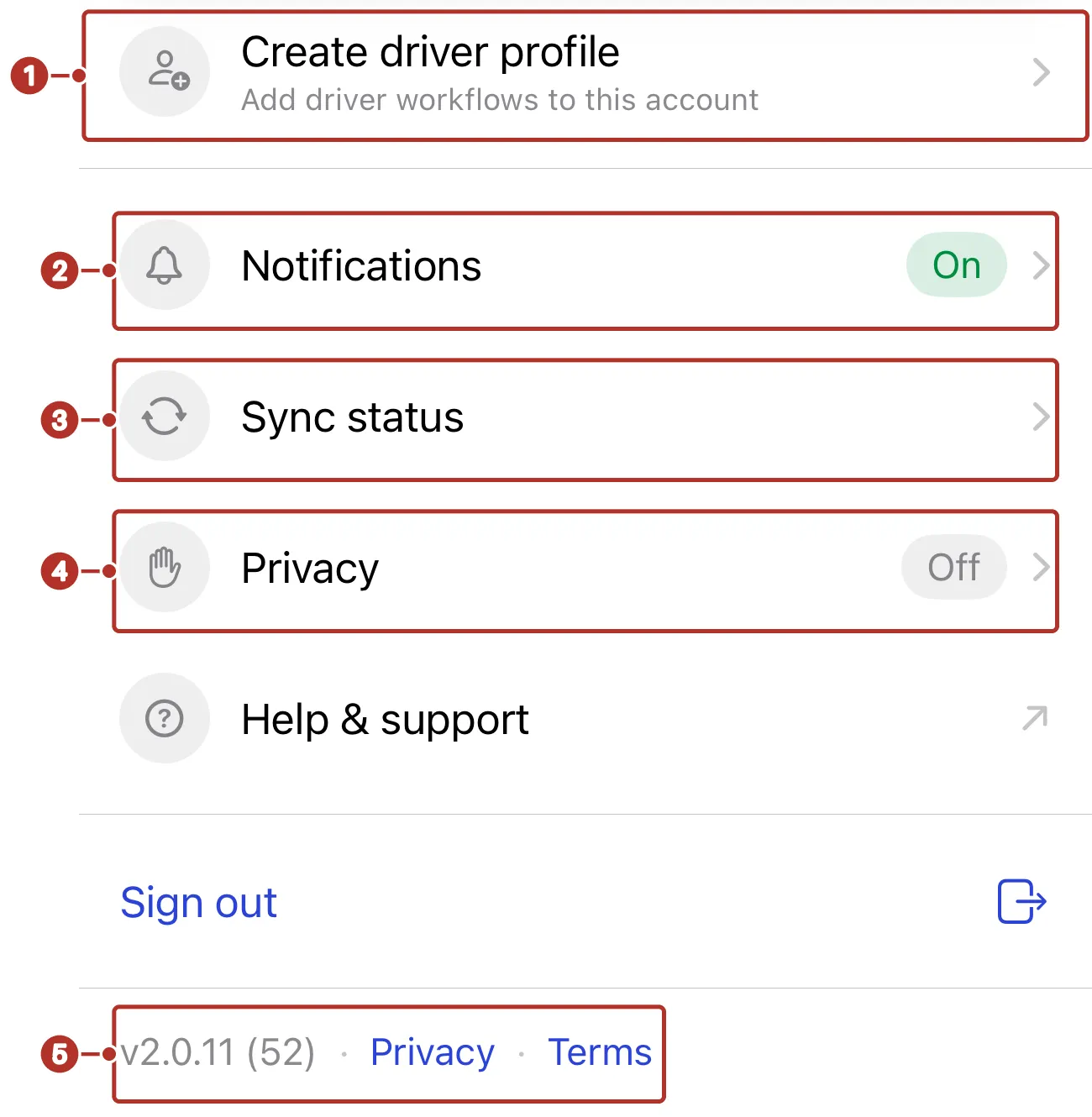
The Settings rows for an account without a driver profile. 1 Create driver profile row, 2 Notifications row, 3 Sync status row, 4 Privacy row, 5 version and build footer.
Billing and subscriptions
Organization administrators can manage subscription and payment details from the chrt billing flow where available. If you do not see billing controls, or if you need help changing or cancelling a plan, contact hi@chrt.com.