

About chrt for Shippers
Manage shipment work
CHRT brings the shipment route, cargo, tasks, tracking, messages, and proof into an order workspace. Shippers work with a coordinator responsible for their shipment. Use the sections relevant to your work and check the saved state before treating a change as complete.
Build and follow the route
Use Timeline to inspect shipment legs and stops. Ground, flight, and onboard-courier segments represent different transport work. Add the locations, contacts, time requirements, cargo, and proof requirements the people performing the work need.
Keep proof with its task
Task artifacts support images, files, signatures, scans, and other evidence. Inspect the actual completed artifact and associated task. A proof requirement describes what should be captured; it does not guarantee that evidence has already been collected or that a compliance obligation is satisfied.
Connect your working partners
Use Orgs to manage the relationships available to your organization. Shipper mode shows Coordinators. Review the saved relationship and contact information before assigning work.
Read tracking with its source
Review the map’s available tracking sources and update times. Driver location and device observations provide different information. Shipments without a reporting source do not gain live location simply because an order exists.
A public tracking link opens a Live tracking page 1 for a signed-out recipient, with the driver’s last location on the map 3. See Public Tracking Links.
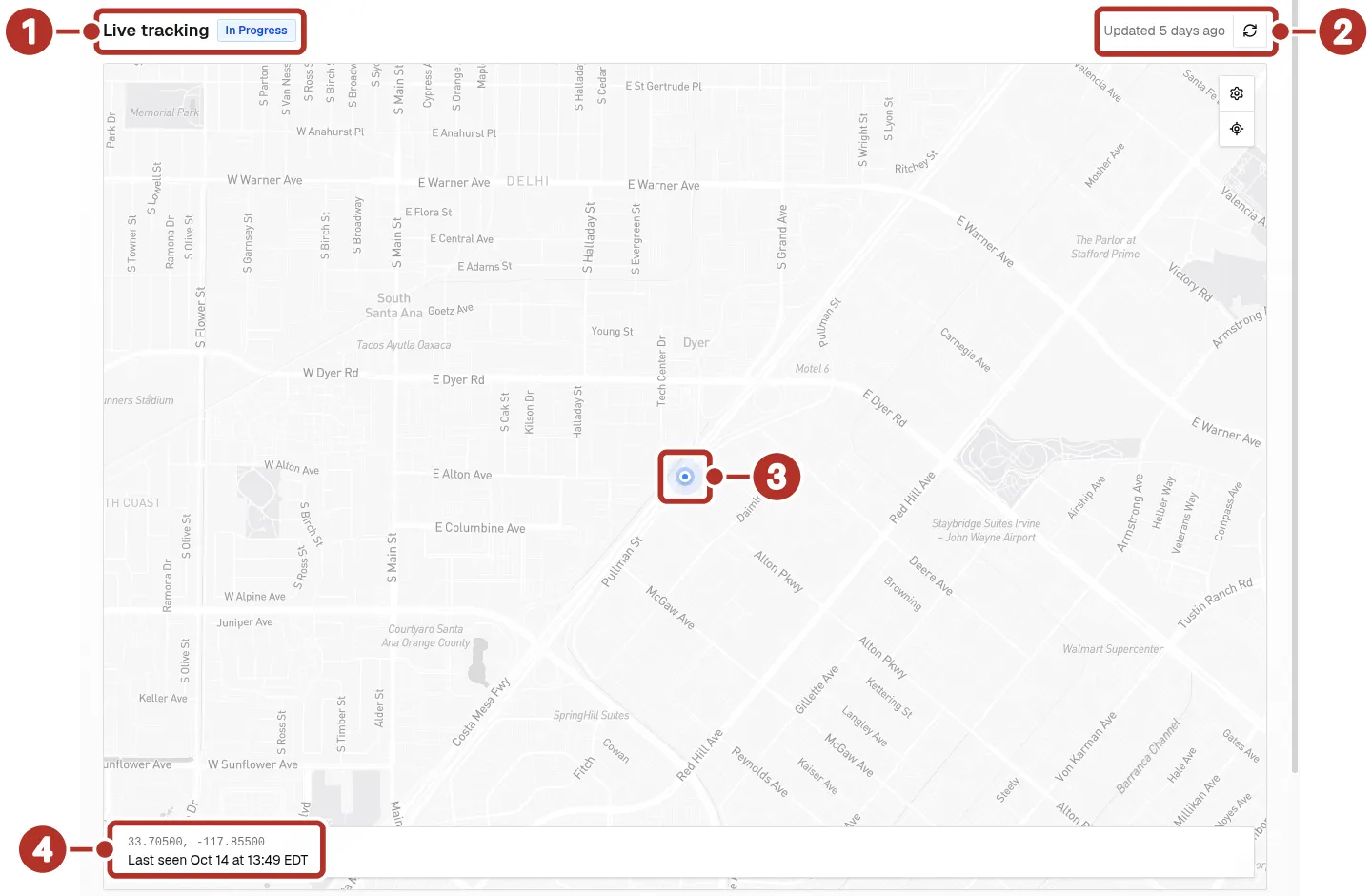
The public tracking page a recipient sees when signed out. 1 Live tracking title and In Progress status, 2 Updated age and refresh button, 3 driver location marker, 4 coordinates and Last seen bar.
Route updates to your team
Configure organization groups and personal notification preferences for the available events/channels. Webhook settings support integrations with receiving systems. Verify delivery separately from saving the configuration.
Before you start
Cargo type-aware
chrt classifies cargo for proper handling, routing, and pricing. See Cargo types for the full list and how it affects routing, handling, and pricing.
Billing transparency
Every delivery comes with a clear billing trail:
- Rate sheets define pricing structures — per-mile, per-minute, base rates, cargo-type surcharges. See Rate sheets.
- Line item groups break down the charges for each task group in an order.
- Statements aggregate deliveries into invoiceable units.
- Stripe Connect powers payment processing, so you can manage everything from a single dashboard. See Billing.