

Off-Platform Providers
What an off-platform record means
An off-platform record represents an organization that does not use CHRT. Provider teams can record shippers or executors for work they manage. Creating the record does not create a login or establish that an external partner can accept assignments, upload proof, or operate the CHRT app.
Working from a shipper organization
The current shipper Orgs 1 flow, with the organization switcher showing CHRT (shipper) 2, lists your coordinators 3 and connects providers by their CHRT handle. The New coordinator 4 button sits above the table. If your provider is outside CHRT, agree with your coordinator how that shipment will be managed and how updates will be supplied. Use Connecting with Providers for the CHRT connection path.
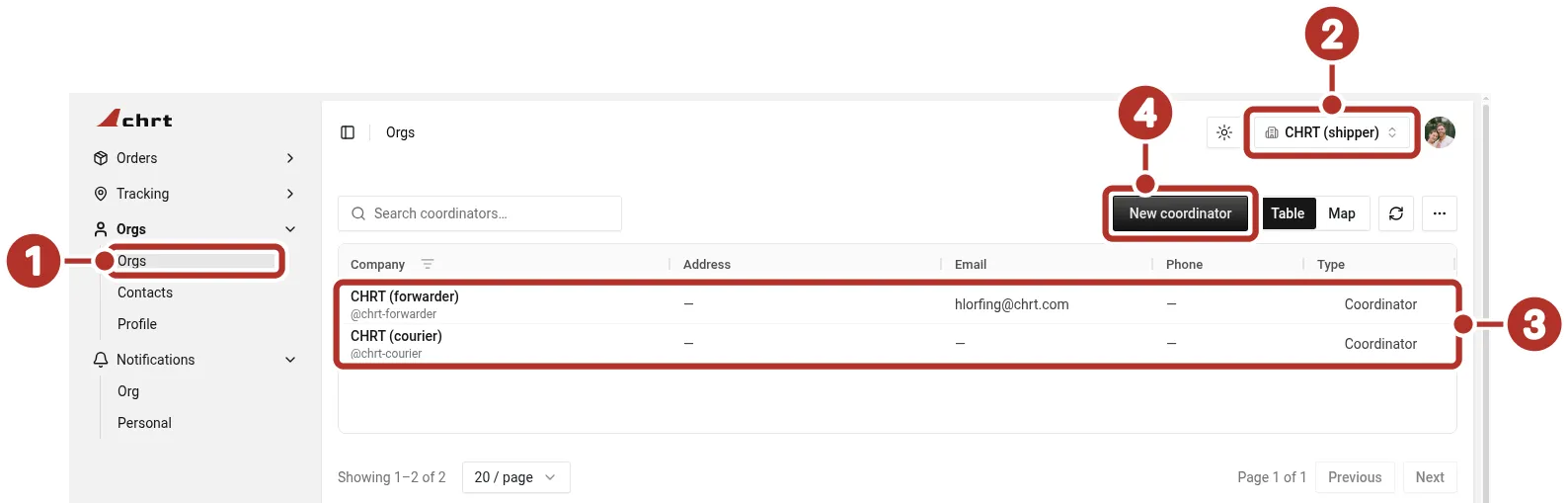
The Orgs list in a signed-in shipper organization, with existing providers listed as Coordinator and a New coordinator button above the table. 1 Orgs > Orgs in the sidebar, 2 organization switcher showing CHRT (shipper), 3 saved relationships, each with Type Coordinator, 4 New coordinator button.
When your team manages provider work
In Provider mode, open the relevant Shippers or Executors list and choose its new-record action. Where offered, select Create off-platform, enter the Company Name 1 and available contact and address fields such as Business Email 2, and choose Create Connection 3.
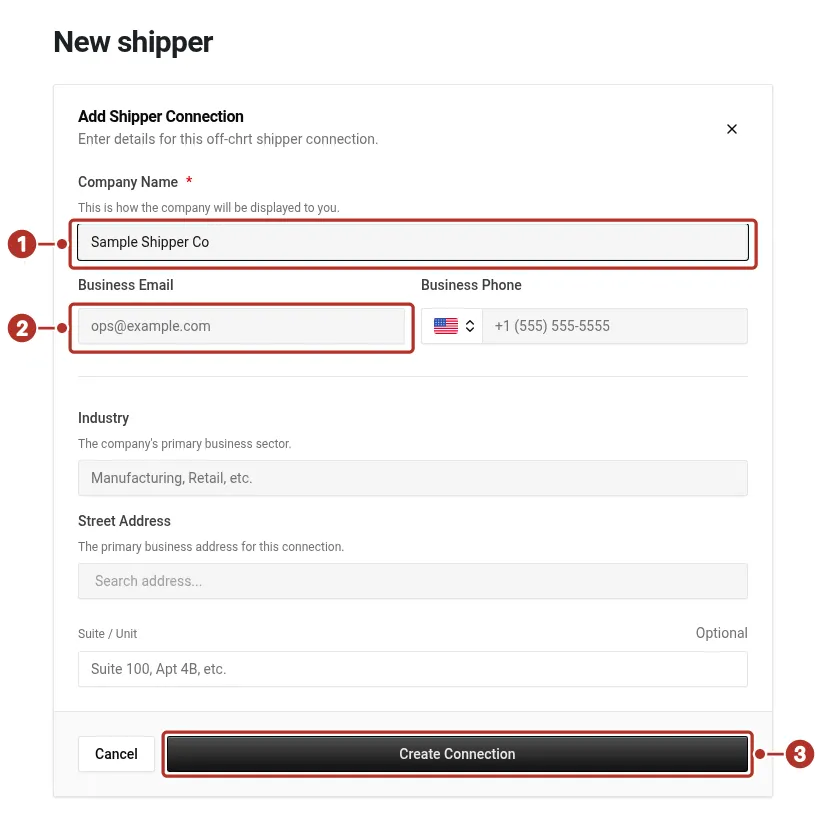
The Create off-platform form on New shipper in a provider organization, with only Company Name filled in. 1 Company Name field, 2 Business Email field, 3 Create Connection button.
On New executor, the blank Add Provider Connection form has a required Company Name 1 field, Business Email and Business Phone 2 fields, a Street Address 3 field, and a Create Connection 4 button that is disabled on the blank form.
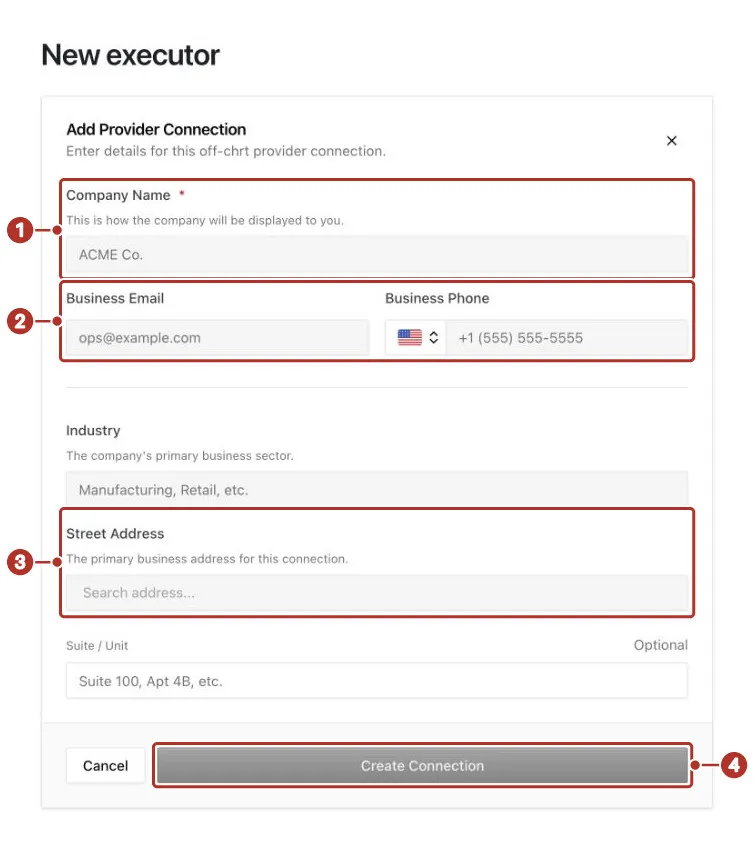
The New executor page in a provider organization: the blank Add Provider Connection form. 1 Company Name field, required, 2 Business Email and Business Phone fields, 3 Street Address field, 4 Create Connection button, disabled on the blank form.
Reopen the record and check it belongs to the intended relationship scope. It shows the Off Platform Shipper badge 1, Not a known shipper 2, the Contact Info, Tax, Settings and Related tabs 3 and Edit 4.
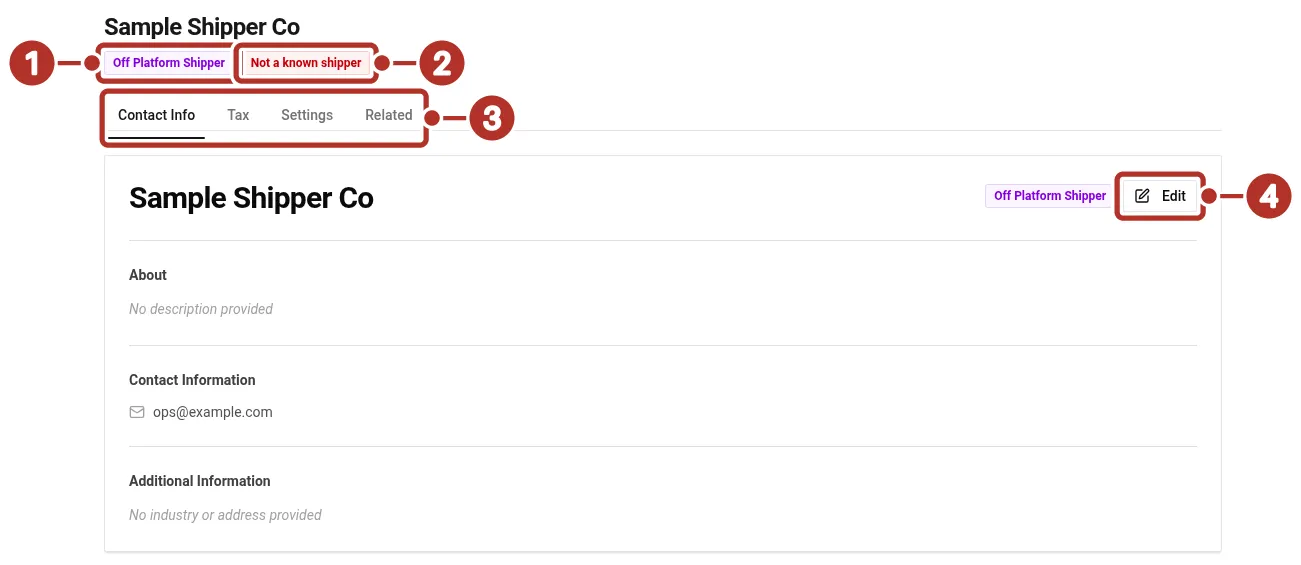
The saved off-platform shipper record, reopened from Orgs > Shippers. 1 Off Platform Shipper badge, 2 Not a known shipper badge, 3 Contact Info, Tax, Settings and Related tabs, 4 Edit button.
A saved off-platform executor record shows the Off Platform Provider and Executor badges 1, the Contact Info, Tax, Settings and Related tabs 2 and Edit 3.
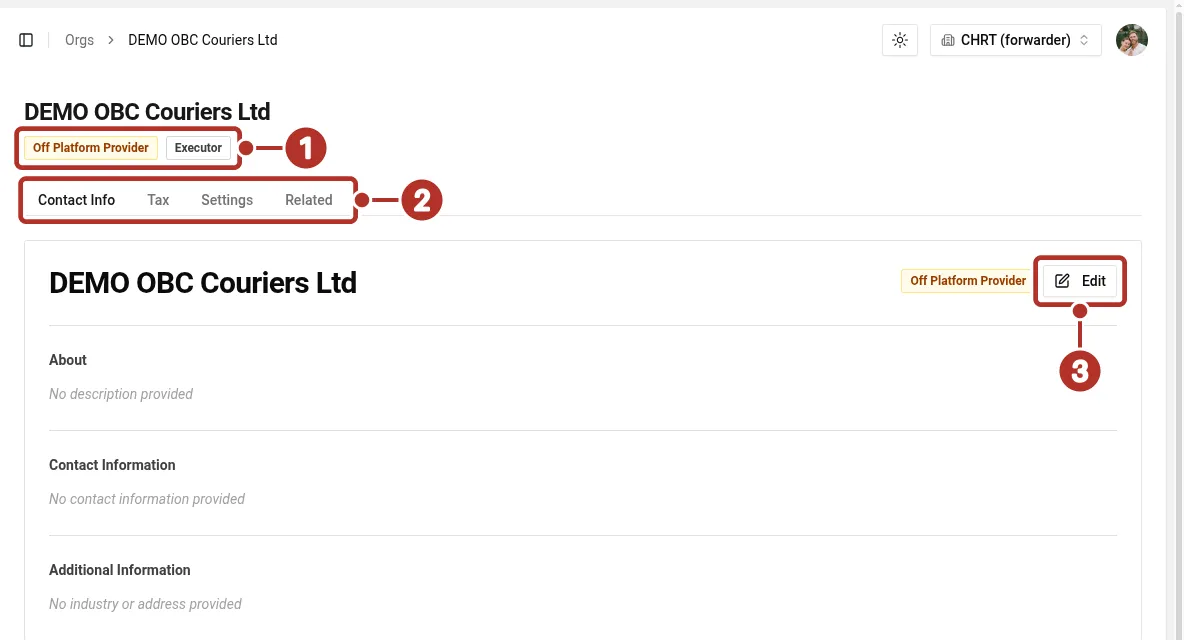
The reopened executor record in a provider organization. 1 Off Platform Provider and Executor badges, 2 Contact Info, Tax, Settings and Related tabs, 3 Edit control.
Confirm the shipment record
On the order, check the customer/coordinator and each segment’s executor assignment. Arrange communications and proof collection with the external provider through the agreed operating process. Read the actual saved shipment and proof before assuming an external update reached CHRT.
For billing workflows and rate configuration, see Billing.