

Connecting with Providers
Select your shipper organization
Sign in and confirm your active organization is the shipper team placing the shipment. CHRT’s Shipper mode and Provider mode expose different relationship lists. An organization membership and a business connection serve different purposes.
Connect a coordinator
Open Orgs 1. In shipper mode the page lists your coordinators; each row’s Type reads Coordinator. To find one, search the list or use the filter in the Company column header.
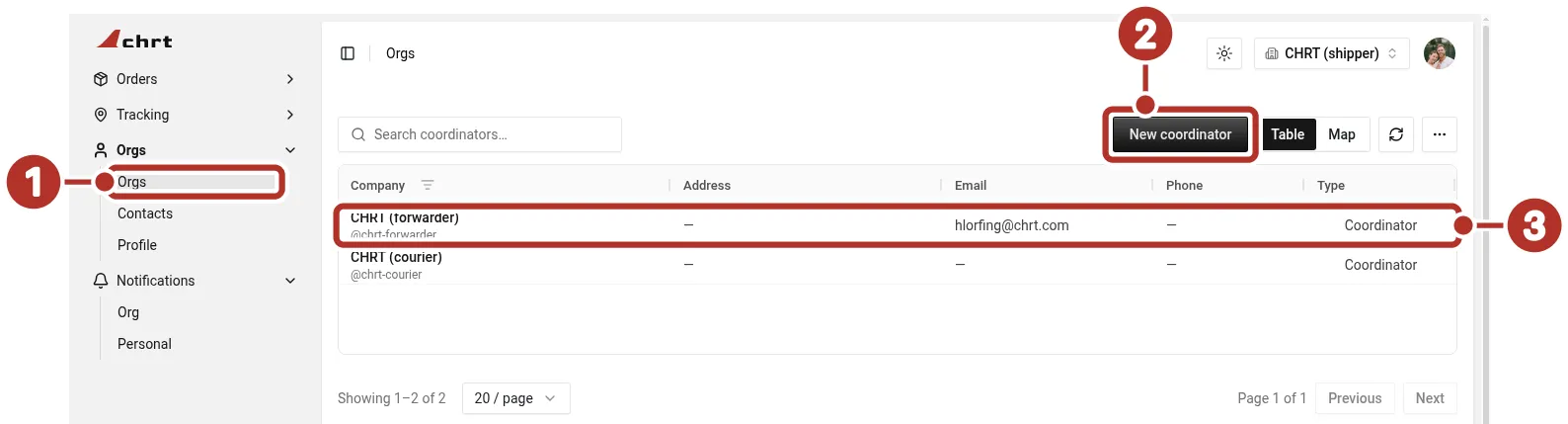
Orgs > Orgs in shipper mode, with two saved coordinator relationships. 1 Orgs > Orgs in the sidebar, 2 New coordinator, 3 a saved relationship row (CHRT (forwarder), @chrt-forwarder) to reopen after connecting.
Choose New coordinator 2, search for the provider’s CHRT handle (for example @chrt-forwarder 1), review the company information on the CHRT (forwarder) 2 result card, and choose Connect. Return to the list and reopen the saved relationship 3 before placing an order.
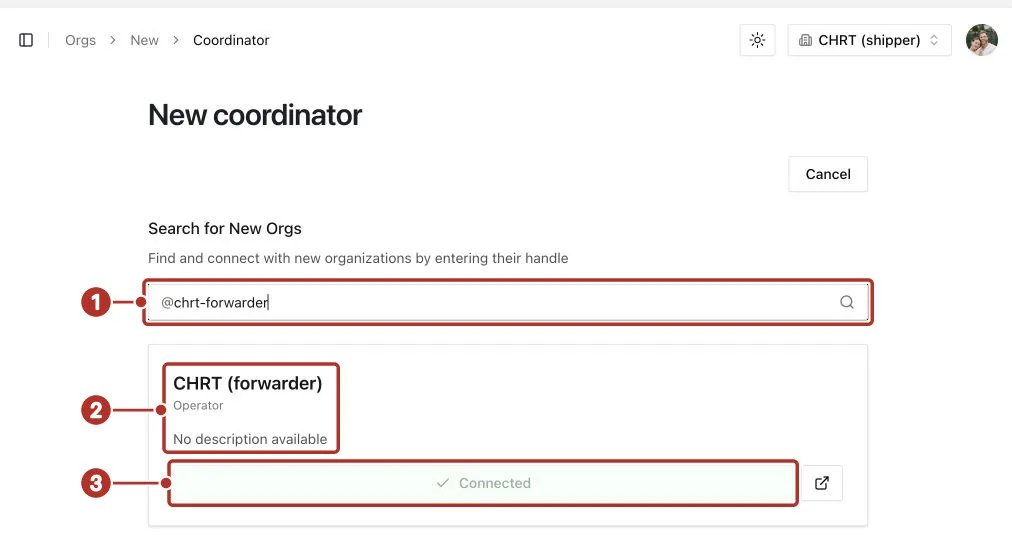
Orgs > New > Coordinator in shipper mode, after searching @chrt-forwarder. 1 handle field with @chrt-forwarder, 2 company information on the CHRT (forwarder) result card, 3 disabled Connected button, shown in place of Connect because this provider is already connected.
If the provider is already connected, the disabled Connected button 3 appears in place of Connect.
Read the provider profile
Open the relationship to review Contact Info 1 and Related 2. When the provider has uploaded files such as a logo, Contact Info also shows them, read-only, under Files. Confirm the contact information and the organization you intend to use. Where a provider shares a public profile link, use its current sign-in/connect flow and then check the saved relationship inside CHRT.
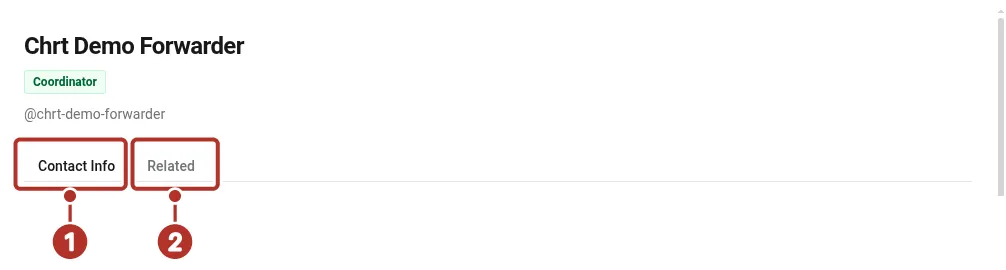
A saved coordinator’s profile in shipper mode. 1 Contact Info tab, 2 Related tab.
Use the coordinator on an order
On an order you create with Create Order, choose one of your connected coordinators with Select coordinator… in the order header before you click Stage order. For an order your coordinating provider created, open it from Orders and review the recorded coordinator. The fictional example in Creating Shipments records CHRT forwarder as coordinator. If the provider is incorrect or the order is missing, confirm the active organization and saved relationship with your coordinating team.
Providers outside CHRT
The current shipper connection flow connects CHRT coordinators. If your chosen provider does not use CHRT, ask your coordinator how to represent and manage that work. Provider teams can record off-platform shippers and executors; do not assume the same creation option is available to a shipper.
Before you start
Creating a shipper organization is free, and connecting with a provider does not incur charges on its own.